Platform · early access
Your WhatsApp sales system, without the ops.
Connect the number customers already use and the calendar your team already checks. Configure the intake, review every answer, test safely, and let scheduled work handle the repeatable parts.
Manual Meta connection is available now. 1-click Embedded Signup follows Meta approval.
One working path
Connect it. Shape it. Follow through.
- 01
Connect your tools
Add a Meta dev-app token and phone number ID through the encrypted manual path, then connect the Google Calendar that should receive bookings.
- 02
Shape the conversation
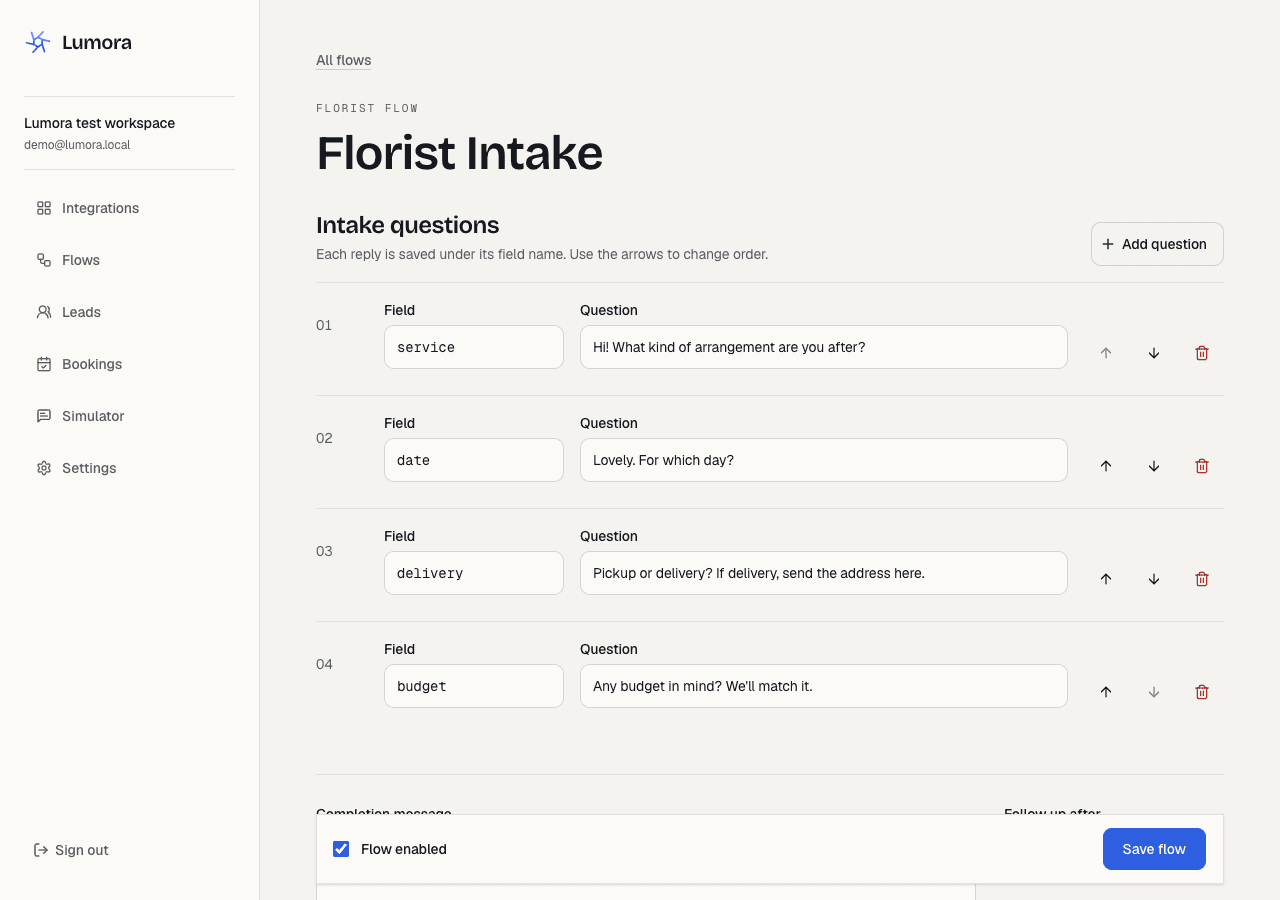
Start with florist, salon, villa, or general-business questions. Reorder the steps, rewrite the completion message, and tune FAQ matches in plain language.
- 03
Work the real queue
See who replied, what they asked for, how the lead scored, whether a booking was created, and what the system sent back.
The working surface
See the workspace in use.
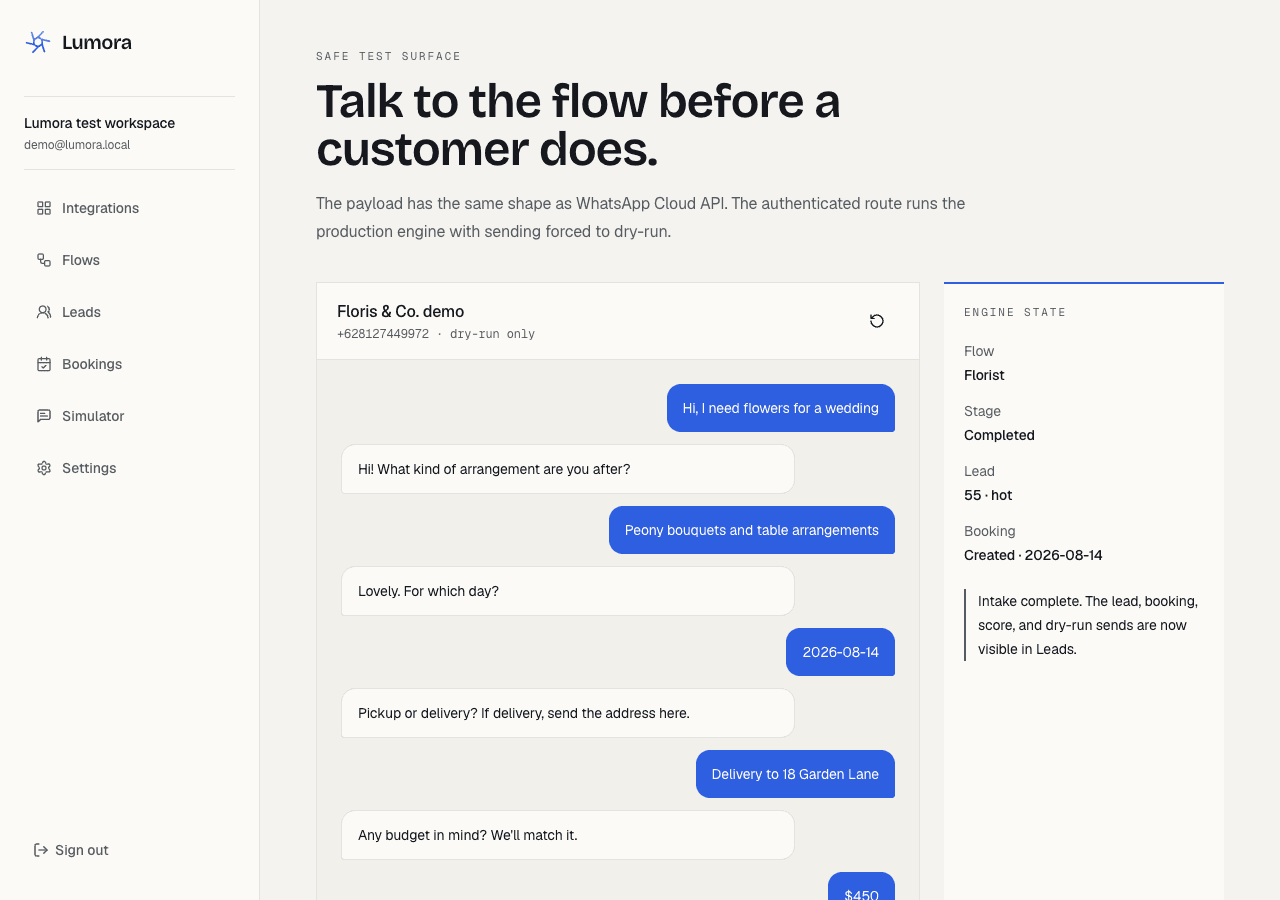
These captures show synthetic conversations in the local build. Live provider connections need separate setup and verification.
Honest early access
What works now, and what still needs approval.
Try the workflow in the local simulator. A live pilot needs the business’s provider credentials, required approvals, and checks of each connected service.
- WhatsApp manual connect
- Encrypted token storage, phone-number routing, signed webhook, and message dedupe.
- Google Calendar
- OAuth connection, writable-calendar selection, test event, and booking rows.
- Flow editor
- Questions, completion message, FAQ pairs, enable state, and follow-up timing.
- Lead queue
- Answers, scores, labels, booking status, and message log.
- Dry-run simulator
- Synthetic Cloud API payloads through the production state machine.
- Reminders and follow-ups
- Bearer-protected scheduled routes, tenant paging, and one-nudge limit.
- Tenant payment links
- Test payment links through the business’s Stripe or Xendit account. Live payment credentials are not accepted in early access.
- Monthly report
- Leads, bookings, conversion, open inquiries, and top questions on demand.
Still external: Meta business/app review, Embedded Signup approval, live WhatsApp templates, provider credentials, and production scheduling. Early access does not pretend those approvals are complete.
Talk through a pilotCommon questions
What owners ask before connecting
- What exactly is the platform?
- A self-serve workspace running the same automation we operate for studio clients: WhatsApp intake flows, a lead queue with scores, bookings, reminders, and a simulator for safe end-to-end tests.
- What does it cost?
- Early access is free while we harden the platform with a small group of businesses. Studio projects are quoted per project. Paid plans will be published openly before anyone is charged.
- Where does my data live?
- In a Supabase (PostgreSQL) database, isolated per workspace. Integration credentials are encrypted at rest, and customer messages are stored so your team can act on leads. The Privacy Policy lists every processor.
- How do I delete my data?
- Contact us by WhatsApp or email to request workspace removal. The current platform has no self-service deletion control; deletion handling and retention periods need to be confirmed before using live customer data.
- Can it message customers without my say-so?
- No. Sending stays in dry-run until you connect your own WhatsApp number and switch live sending on. The simulator never contacts a real phone.
- How do I get support?
- WhatsApp, answered by the people who built it. Email works too if you prefer a paper trail.
- Do you handle phone calls as well as WhatsApp?
- Yes, as a studio service. We set up and operate an AI receptionist. It answers the call, answers questions, books the job, and texts confirmation. That sits beside this WhatsApp workspace, not inside it. We can also add AI to workflows you already run, or stand up a fully automated intake system. Quoted per project.